Jenkins 結合 C# Gitea .net core 專案 CICD 環境建置教學
在上一章我們透過 docker 設定 gitea 與 Jenkins,如果我們要部屬程式就必須要把 build 好的檔案送出來外部 disk ,可以透過的方式是: 透過 docker 的 volumes 機制將外部與內部容易共享一個目錄。
我們在 Jenkins 上設定好 CI 的設定經過定期掃描決定是否要進行 auto build,結合 gitea 設定的腳本可以看出 release 到 /var/jenkins_home/workspace/RororoTest_master/MVC_Web/out/
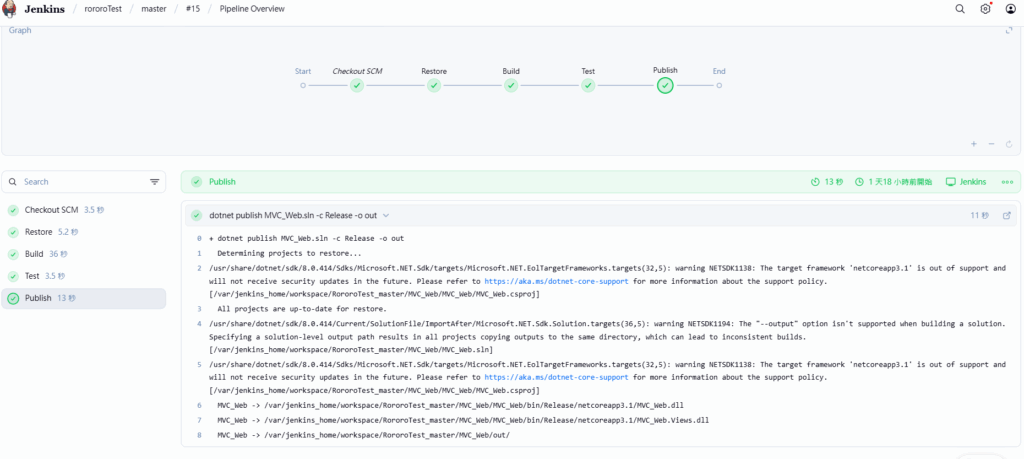
+ dotnet publish MVC_Web.sln -c Release -o out
  Determining projects to restore...
/usr/share/dotnet/sdk/8.0.414/Sdks/Microsoft.NET.Sdk/targets/Microsoft.NET.EolTargetFrameworks.targets(32,5): warning NETSDK1138: The target framework 'netcoreapp3.1' is out of support and will not receive security updates in the future. Please refer to https://aka.ms/dotnet-core-support for more information about the support policy. [/var/jenkins_home/workspace/RororoTest_master/MVC_Web/MVC_Web/MVC_Web.csproj]
  All projects are up-to-date for restore.
/usr/share/dotnet/sdk/8.0.414/Current/SolutionFile/ImportAfter/Microsoft.NET.Sdk.Solution.targets(36,5): warning NETSDK1194: The "--output" option isn't supported when building a solution. Specifying a solution-level output path results in all projects copying outputs to the same directory, which can lead to inconsistent builds. [/var/jenkins_home/workspace/RororoTest_master/MVC_Web/MVC_Web.sln]
/usr/share/dotnet/sdk/8.0.414/Sdks/Microsoft.NET.Sdk/targets/Microsoft.NET.EolTargetFrameworks.targets(32,5): warning NETSDK1138: The target framework 'netcoreapp3.1' is out of support and will not receive security updates in the future. Please refer to https://aka.ms/dotnet-core-support for more information about the support policy. [/var/jenkins_home/workspace/RororoTest_master/MVC_Web/MVC_Web/MVC_Web.csproj]
  MVC_Web -> /var/jenkins_home/workspace/RororoTest_master/MVC_Web/MVC_Web/bin/Release/netcoreapp3.1/MVC_Web.dll
  MVC_Web -> /var/jenkins_home/workspace/RororoTest_master/MVC_Web/MVC_Web/bin/Release/netcoreapp3.1/MVC_Web.Views.dll
MVC_Web -> /var/jenkins_home/workspace/RororoTest_master/MVC_Web/out/- 由於我們先前建立的 docker file 有使用 volumes:
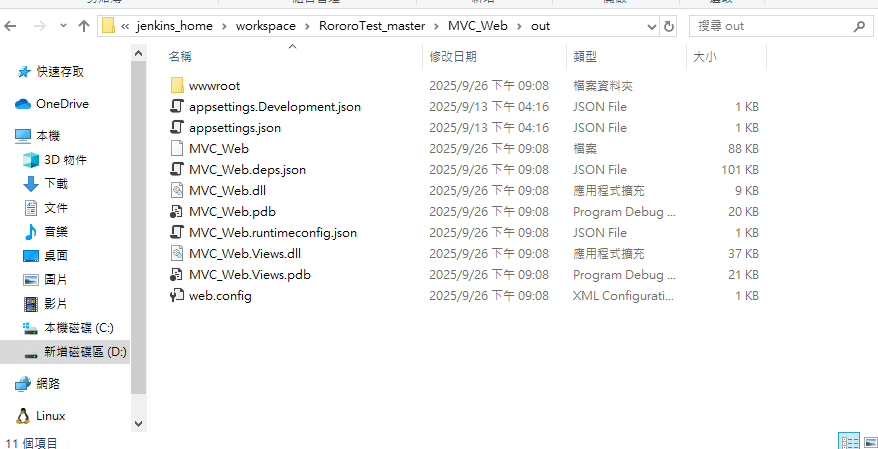
- 因此路徑會在 : D:\html_practice\dockerTest\jenkins_home 中的子資料夾
version: "3.8"

services:
  jenkins:
    image: jenkins/jenkins:lts
    container_name: jenkins
    ports:
      - "6971:8080"   # Jenkins Web UI
      - "50000:50000" # Jenkins Agent
    volumes: # <-- 這個為 volumes 設定
      - D:\html_practice\dockerTest\jenkins_home:/var/jenkins_home
根據 gitea 中 設定的 jenkinfile 路徑結合 docker file 設定的路徑會出現在
# gitea - jenkinfile
==> dotnet publish MVC_Web.sln -c Release -o out
# docker file 路徑
==> D:\html_practice\dockerTest\jenkins_home:/var/jenkins_home
# 最終路徑
==> D:\html_practice\dockerTest\jenkins_home\workspace\RororoTest_master\MVC_Web\out